
Google Business Profile Suspended? Why It Happens and How to Get It Back
 23 Oct 2026
12 min read
23 Oct 2026
12 min read
The short answer: a Google Business Profile suspended notice means Google has taken your profile off Maps and Search while it checks a guideline problem, usually your business name, your address or a recent edit. Do not create a new profile. Fix the breach first, gather proof that your name and address are real, then appeal once through Google’s appeals tool.
Table of Contents
Key takeaways
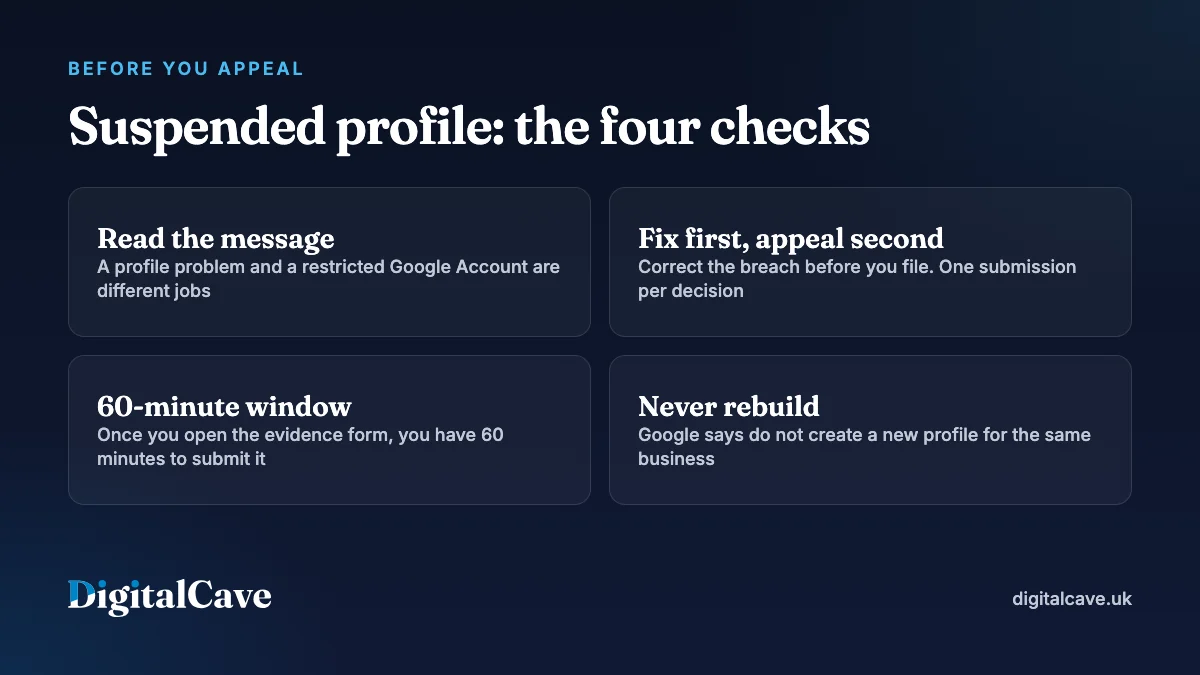
- Read the exact wording first. A profile problem and a restricted Google Account are different jobs in a different order.
- Google is blunt about the most common mistake: “Do not create a new Business Profile for the same business.”
- Have your documents ready: “Once you open the evidence form, you must submit it within 60 minutes or it won’t be attached to your appeal.”
- Decisions can take up to five working days, and Google asks you not to submit multiple appeals for the same issue.
- In the profiles we audit, four triggers recur: keywords in the business name, a home address on show, a virtual office or hot desk, and a batch of edits at once.
Every rule and timescale below was checked against Google’s help pages and GOV.UK on 23 October 2026. These screens change without notice, so re-read the linked pages before you act.
What does a suspended Google Business Profile mean?
A suspension means Google has stopped showing your profile while it reviews a suspected guideline breach. Your business keeps trading; it simply stops appearing in the map pack (the three local results above the blue links), in Maps and in the knowledge panel. You can usually still sign in and see the profile with a notice attached, which is why the phone goes quiet before anyone tells you.
It is not an accusation of fraud. Google’s policy overview says that when violations occur it will “take necessary steps to restrict the content from displaying, or restrict access to the profile or merchant account”. Legitimate businesses are caught by automated checks after ordinary edits.
Suspended, disabled or account not in good standing?
Your first move depends on which message you have. Google’s help page treats “suspended” and “disabled” together and sends both to the same appeals tool, so the table below splits them by what Google appears to doubt.
| What the message says | What it usually means | Where the fix sits | Your first move |
|---|---|---|---|
| Your Business Profile is suspended | Google believes the profile breaks a guideline. The business may be perfectly genuine. | The profile | Fix the breach, then appeal once. |
| Your Business Profile is disabled | In practice the stricter wording: Google doubts the business exists at that address, or qualifies at all. | The profile, plus eligibility | Prove in-person trading, or accept the type does not qualify. |
| A Google Account associated with this Business Profile is not in good standing | The Google Account managing the profile has the problem, not the profile. Every profile it touches goes down with it. | The Google Account first | Fix the account, then appeal the profile. |
| The profile is still on Maps, but you have lost management access or it shows as unverified | Not a suspension. The listing survives; your claim on it does not. | Ownership and verification | Request ownership, then re-verify. Not the appeals tool. |
Check the last row first: search your business name while logged out. If the profile still appears, this is a verification job, not an appeal.
The third row catches people out. Google’s appeals guidance states: “If your Google Account or Business Profile is restricted, it must be reinstated before you can appeal any content decisions.” Appealing the profile first wastes your one submission.
Why is my Google Business Profile suspended?
Google rarely names the trigger, but it is nearly always one of the eight below: the business name, a home address, a virtual office, a recent edit, a duplicate, an over-wide service area, eligibility, or a dormant owner account. All are measured against the guidelines for representing your business on Google.
| Trigger | Why Google objects | Fix this before you appeal |
|---|---|---|
| Keywords in the business name | The name must “reflect your business’ real-world name, as used consistently on your shopfront, website, stationery and as known to customers”. Service and location words are not allowed. | Restore the trading name on your invoices and signage. |
| A home address on public display | Not a breach by itself, but Google expects a service-area business to hide its address, and an exposed one invites reports. | Hide the address and set service areas. |
| A virtual office, mailbox or hot desk | PO boxes and remote mailbox addresses are ineligible, and Google expects permanent signage at a real location. | Hide the address, or use premises you staff. |
| A name or address change | Editing core fields sends the profile back for review. Changing several at once, before the website and paperwork agree, is the classic trigger. | Change the real world first, then edit one field. |
| Duplicate profiles | Google allows one profile per location, with narrow exceptions for departments and practitioners. | Claim duplicates in Maps and request removal. |
| A service area that is too wide | Google says service areas “shouldn’t extend farther than about two hours of driving time” from where the business is based. | Cut it back to where you actually travel. |
| Ineligible business type | Google’s eligibility guidelines require in-person contact, and rule out “lead generation agents or companies” and other “online-only businesses”. | If you never meet customers in person, no appeal will fix this. |
| A dormant owner account | Google can revoke ownership where “you haven’t signed in to your account recently”. | Sign in monthly and keep two owners on the profile. |
My Google Business Profile was suspended after changing address
Editing the address sends the profile back for review, and what fails it is a mismatch between the new address and your website, invoices or Companies House record. Move in the real world first, change the address field on its own, and expect to re-verify. Never open a second profile at the new address.
How do you appeal a suspended Google Business Profile?
First, screenshot the notice and the profile’s name, address, categories and website field, and check Maps for duplicates at former addresses. Then appeal through Google’s appeals tool, linked from the fix suspended or disabled profiles help page. As the process reads on 23 October 2026:
- Open the appeals tool signed in to the Google Account that manages the profile.
- Select the Business Profile you want to appeal.
- Select the decision. The tool shows its date, the reason and a link to the policy Google says you breached. Read that policy first.
- Write your explanation and submit the appeal.
- Add evidence in the linked form. Google warns: “Once you open the evidence form, you must submit it within 60 minutes or it won’t be attached to your appeal.” Open it only when your files are ready.
- Wait for the emailed decision. Google’s appeals guidance says reviews and decisions can take up to five working days.
Your appeal status will read one of: “Eligible for appeal”, “Submitted”, “Approved”, “Not approved” or “Can’t be appealed”.
A template for the explanation box
Reviewers match facts; they do not weigh arguments. Copy and adapt this:
[Trading name] has traded from [full address] since [month, year], registered at Companies House as [registered name], company number [number]. The profile name now matches our signage, invoices and website; the previous name included a service word, which we have removed. Attached: our Companies House record, a utility bill in the business name at this address, a photograph of our permanent signage, and our lease. We see customers here between [hours].
Say nothing you cannot evidence. If you removed keywords from the name, say so: owning the fix reads better than pretending nothing was wrong.
What if the appeal is not approved?
Read the decision for the policy it cites. The usual reason is that the breach was not actually fixed first, or the documents did not match the profile’s name and address. Correct that point, gather better evidence, and use any further route the tool offers. If the real problem is eligibility, no appeal will succeed.
Google Business Profile suspended: your UK evidence pack
Google names “official business registration”, “a business licence”, “tax certificates” and utility bills as acceptable evidence, and requires the name and address on them to match the profile. In the UK that means:
- Companies House record, as a PDF of your company page. Sole traders can substitute an HMRC letter.
- A utility bill in the business name at the profile address. Google sets no age limit, but a current one is more persuasive.
- Your lease or licence for the premises.
- Photographs of permanent signage, framed so the building number or street sign is in the same shot.
- A branded vehicle photo, if you travel to customers.
- Insurance schedule or trade body membership in the same name and address.
One point for home workers. If your home address sits on the public Companies House register, you can apply on form SR01 to remove it from documents there. GOV.UK guidance, last updated 28 April 2026, states it costs £34 per document listed, and you cannot suppress an address that is still the current registered office.
What if Google asks for a video verification?
Treat it as the strongest part of your case: it settles the question in one recording. Google’s video verification page sets firm rules.
- The video must be at least 30 seconds, captured live from a mobile device through your Business Profile. Google states plainly that “pre-recorded videos aren’t allowed”.
- Show where you are: street signs, building numbers or nearby landmarks.
- Show the business exists: permanent signage, or branded tools, vehicle and paperwork if you travel.
- Show you manage it: open the till, stockroom or kitchen, or film yourself working and show an invoice in the business name.
- Keep out bank, tax and ID numbers, private information and other people’s faces.
Walk the route once before recording. Google says this review can also take up to five working days.
What not to do while your appeal is open
- Do not create a replacement profile. Google’s help page says so directly, and a duplicate usually gets suspended too.
- Do not submit a second appeal for the same issue before the decision arrives.
- Do not keep editing the name, address or categories while the review runs.
- Do not chase reviews to push the profile back up. Reviews cannot overturn a guideline breach, and incentivised ones create a worse problem.
- Do not pay anyone who guarantees reinstatement. Help with the paperwork is reasonable; a guarantee is not.
How to avoid a suspension in the first place
If your Google Business Profile is not suspended today, these habits prevent most cases:
- Keep the name field as your real trading name. No town, no service, no tagline.
- Change one core field at a time. Google sets no waiting period; we leave a fortnight between edits.
- Update the real world first: website, signage, invoices, Companies House.
- Keep two owners on the profile, and sign in monthly.
- Hide the address and set realistic service areas if you travel to customers.
The rest of the profile work sits in our guide to using your Google Business Profile to win local sales, and the wider picture in our complete local SEO guide. For reviews, read how to get more Google reviews within the rules, then check the local SEO mistakes we see most often.
Where DigitalCave fits
DigitalCave is a digital marketing agency at 47 Jewel Court, 29 Legge Lane, Jewellery Quarter, Birmingham B1 3LE. We work on Business Profiles as part of our local SEO service in Birmingham and in Coventry.
Honest scope: with a Google Business Profile suspended, we audit it against the guidelines, fix what breaches them, build the evidence pack and write the appeal. We cannot promise reinstatement, because that decision is Google’s, and if your business is not eligible we will say so rather than take the work.
Quotes are fixed-price with no lock-in, we reply within two working hours, and we are open every day from 9:00 to 17:00. For a second pair of eyes before you spend your single appeal, request a quote. If the profile is healthy but invisible, start with the signs your business needs local SEO.
Frequently asked questions
How long does it take to get a suspended Google Business Profile reinstated?
Google’s appeals guidance says reviews and decisions can take up to five working days. That clock starts when you submit the appeal, not when the profile was suspended, so fixing the breach first costs you nothing.
Can I appeal more than once?
Google asks you not to submit multiple appeals for the same issue before you receive a decision. If an appeal is not approved, fix the point it cites and use whatever further route the tool offers, rather than filing the same case again.
Will I lose my reviews if my profile is suspended?
While a profile is suspended it stops appearing on Google Search and Maps, and its reviews go with it. If the appeal is approved, the profile returns. Google publishes no guarantee that every review comes back, so treat them as at risk.
Why was my Google Business Profile suspended for no reason?
There is almost always a reason, even when nothing changed recently. The two common explanations are a user or competitor edit or report against your profile, and an older breach, often a keyword in the business name, caught by an automated sweep. Judge the profile against Google’s current guidelines.
Can I use a virtual office address to avoid showing my home address?
No. Google rules PO boxes and remote mailbox addresses ineligible, and virtual offices are a frequent suspension trigger. If you travel to customers, hide the address entirely and set service areas instead. That keeps your home address off Maps without breaking a guideline.
Should I pay a company that guarantees reinstatement?
No. The decision is Google’s alone, so no agency can guarantee it. Paying for help to audit the profile, correct breaches and prepare the evidence pack is reasonable; paying for a promised outcome is not.
In one line
Identify which message you have, fix the breach in the real world and on the profile, then appeal once with documents that match your name and address exactly.