
Google Ads Audit: 15 Checks to Run on Your Account (UK Guide)
 26 Nov 2026
11 min read
The short answer: A Google Ads audit checks five areas in order: conversion tracking, campaign structure, search terms and keywords, bidding and budget, and ads with landing pages. Fix tracking first, because every other decision depends on it. Run a full audit at least every quarter, and straight away if cost per lead rises for no clear reason.
Table of Contents
Key takeaways
- Tracking comes first. If Google Ads counts the wrong actions as conversions, bidding optimises towards the wrong customers.
- The search terms report is the quickest way to find wasted spend: it shows what people actually typed before they saw your ad.
- Smart Bidding needs conversion tracking switched on, so check tracking before judging a bidding strategy.
- Quality Score is a diagnostic tool, not a target, and neither it nor Google’s recommendations measure your profit.
What is a Google Ads audit, and when should you run one?
A Google Ads audit is a structured review that tests whether your budget is going to searches that can turn into customers, and whether you can prove it. It covers tracking, structure, keywords, bidding, ads and landing pages, then ranks the problems by how much money they cost you.
Run one in these situations:
- Every three months, because accounts drift as campaigns are added and offers change.
- When cost per lead or cost per sale rises for no clear reason.
- Before you change agency, so you know the starting position.
- After a website redesign or a new form or booking system, which can silently break conversion tracking.
You need admin or standard access to the account, and ideally Google Analytics 4 access to compare what the two systems report. If the account is not in your own name, fix that first.
The 15 checks at a glance
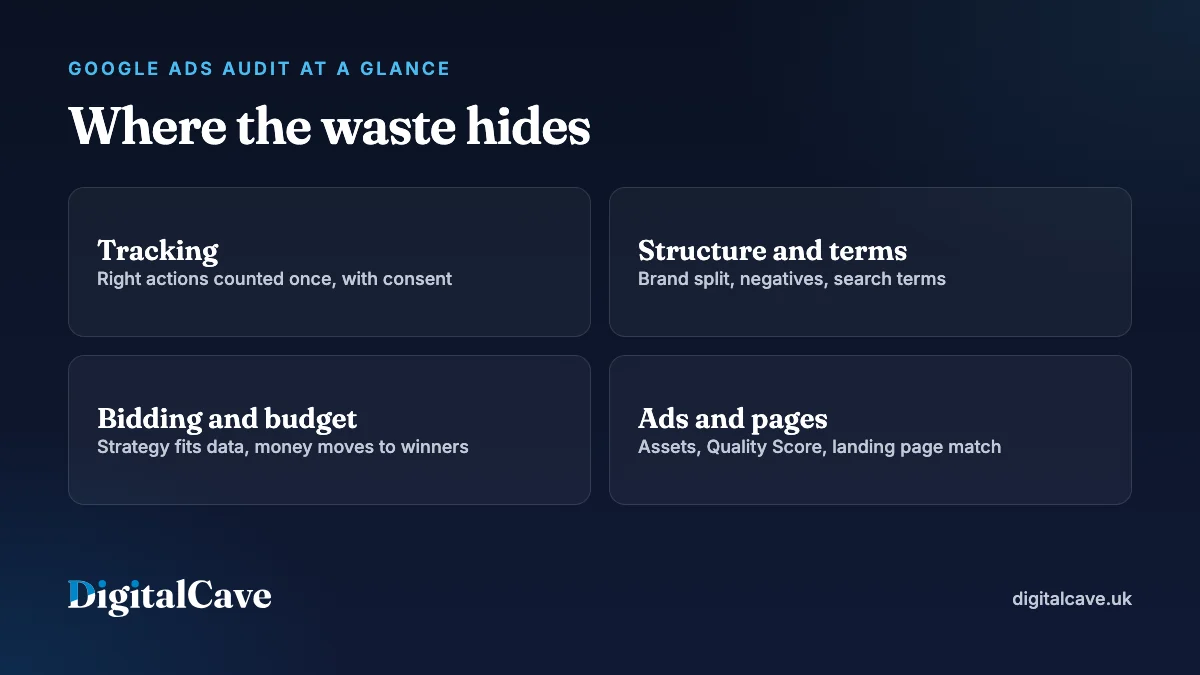
| Area | Checks | What a problem costs you |
|---|---|---|
| Measurement | 1 to 4: conversion actions, duplicates, consent, calls and forms | Bidding optimises towards the wrong results |
| Structure and targeting | 5 to 8: campaign split, locations, match types, negative keywords | Spend on searches and places you cannot serve |
| Search terms | 9 to 10: the search terms report, brand versus non-brand | Paying for clicks that never convert |
| Bidding and budget | 11 to 13: strategy fit, limited budgets, auction position | Good campaigns starved, weak ones fed |
| Ads and pages | 14 to 15: ad assets and Quality Score, landing page match | Clicks that arrive and leave |
Measurement: checks 1 to 4
Start here, because everything else relies on the numbers being right.
1. Are the right actions counted as conversions?
A conversion action is a specific customer activity that is valuable to your business, such as a form submission, a phone call or a purchase. Google’s help page on conversion measurement explains that actions are set as primary (used for bidding) or secondary (observation only), and that getting this right is critical.
Form submitted, call from ad and completed purchase should be primary. Page views, scroll depth and button clicks are usually secondary at most. A common fault is an account where every page view counts as a conversion, so cost per conversion looks excellent while nobody has enquired.
2. Is each conversion counted once, at the right moment?
Submit a test enquiry and check that exactly one conversion is recorded. Duplicates usually come from two tags doing the same job, such as one added by a plugin and another in Google Tag Manager. Check it fires on the confirmation step, not on the page that merely contains the form.
3. Does tracking respect cookie consent?
UK rules require consent before advertising cookies are set, so most UK sites show a cookie banner. Check that the banner works and that Google’s consent settings are connected to it. A banner that blocks everything can leave Google Ads with too little data. A tag that ignores the banner is a compliance problem. Both are worth fixing.
4. Are calls and form leads tracked, not just sales?
For most local service businesses, the money starts with a phone call. Check that calls from ads, calls from your website and form leads are all tracked, with a minimum call length so a wrong number is not counted as a lead. If leads become sales offline, consider importing the sale back into Google Ads so bidding learns which leads were worth having.
Structure and targeting: checks 5 to 8
5. Are campaigns split by intent and by service?
One campaign holding every service on one budget is a warning sign. Searches for your brand name, for a specific service and for a broad problem behave differently and deserve different budgets. Check that brand is separate from non-brand and that each main service has its own campaign or tightly themed ad groups.
6. Are location settings right?
List the towns and postcodes you serve and compare them with the targeted locations. Then check the location option itself, which decides whether you reach only people in your area or also people showing interest in it. Use the location report to see where clicks and enquiries come from, and exclude places you cannot reach.
7. Are match types doing what you think?
Broad match is the default match type and can show your ads on searches related to your keyword, not only searches containing it. Phrase and exact match are tighter. Broad match with strong conversion data can work well. Broad match with weak tracking is how budgets disappear. Check which match types carry most of your spend.
8. Are negative keywords in place and up to date?
Negative keywords exclude search terms from your campaigns. Google’s page on negative keywords adds a detail many accounts miss: they do not match close variants or other expansions. If you exclude the negative broad match keyword “flowers”, ads will not show for “red flowers”, but can still show for “red flower”. So add singular and plural forms separately.
Look for negative lists covering jobs, free, DIY and training searches. If the account has none, you have found your first quick win.
Search terms: checks 9 and 10
9. What does the search terms report show?
The search terms report lists the searches that triggered your ads, and its match type column shows how closely each search related to the keyword that matched. Sort by cost, take the top 50 terms from the last 90 days and mark each as relevant and converting, relevant but not yet converting, or irrelevant.
Irrelevant terms with real spend go on the negative list. Relevant terms that convert deserve their own keyword and ad copy. Relevant terms that spend without converting usually point to a landing page or offer problem.
10. How much spend is brand, and is it earning its place?
Brand searches usually convert well because those people already know you. That can make an account look healthy while the non-brand campaigns, which win new customers, struggle. Compare cost per lead on brand with non-brand. If most conversions come from brand, the account is harvesting demand rather than creating it.
Bidding and budget: checks 11 to 13
11. Does the bidding strategy fit the data you have?
Target CPA, Target ROAS, Maximize conversions and Maximize conversion value are all Smart Bidding strategies, and Google states that you need conversion tracking enabled to use them. They learn from your data, so a campaign recording a handful of conversions a month gives the system little to learn from.
Check that tracking from checks 1 to 4 is accurate, because Smart Bidding will faithfully optimise towards any mistake, and that the target is realistic. A target cost per lead far below anything the account has achieved starves the campaign of impressions. While data builds, maximising conversions without a target is often a safer start.
12. Are good campaigns limited by budget while weak ones are not?
Look for campaigns marked as limited by budget, then compare their cost per lead with the rest of the account. If a campaign with a strong cost per lead runs out of budget at 2pm while a weak campaign spends its full allowance, move money across. It is the simplest high-value change in most audits and needs no new ads or keywords.
13. Where do you stand in the auction?
The auction insights report compares your impression share with other advertisers bidding on the same searches. Use it to answer a practical question: are you losing impressions because your budget is too small, or because your ads rank below others? A budget loss is a spending decision. A rank loss points to relevance, landing pages and bids.
Ads and landing pages: checks 14 and 15
14. Are the ads strong, and what does Quality Score say?
Check that each ad group has at least two responsive search ads with a good spread of different headlines and descriptions, that they mention the service and the place, and that assets such as sitelinks, call and callouts are switched on where relevant.
Then look at Quality Score. Google describes Quality Score as a diagnostic tool on a scale of 1 to 10 at keyword level, based on expected click-through rate, ad relevance and landing page experience. It also says Quality Score is not an input in the ad auction, so do not chase a perfect 10 for its own sake.
15. Does each landing page match the ad that sends people to it?
This check often finds the biggest gain. Click your own ads on a phone, as a customer would. Does the first screen confirm what the ad promised? Are the phone number and form easy to reach? Does the page load quickly on mobile data? Sending every ad to the home page is a typical weak point.
A dedicated page for each main service, with one clear action, often lifts results without changing a single bid. Our guide to what makes a high-converting website covers what such a page needs.
How should you rank what you find?
Do not try to fix everything at once. Sort the findings into three groups:
- Stop the waste (this week): broken or duplicate tracking, missing negative keywords, locations you cannot serve, irrelevant search terms with real spend.
- Move the money (this month): shifting budget to campaigns with a proven cost per lead, splitting brand from non-brand, correcting bidding targets.
- Improve the engine (this quarter): new ad assets, new landing pages, offline conversion import, campaigns for services with no coverage.
Change one thing at a time where you can, and record the date of each change. Smart Bidding needs time to settle after an edit, so judging a campaign three days later usually leads to the wrong conclusion. Treat Google’s own recommendations the same way: some are useful, such as fixing a broken tag, while others suggest raising budgets or widening reach. Read each against your own goal and numbers.
Should you audit the account yourself or ask an agency?
Do it yourself if your account is small and you have time to read the search terms report each month. Ask for outside help if spend is meaningful, the account has run for years without review, or you suspect broken tracking but cannot find it. A good audit leaves you with a short, ordered list, an explanation in clear, simple language and the account still in your name. Be wary of any audit that concludes “you need a bigger budget” before anyone has looked at your tracking.
Where DigitalCave fits
DigitalCave is an all-in-one web design, SEO and digital marketing agency based in the West Midlands, serving Birmingham, Coventry and the UK. Our Google Ads agency in Birmingham service works in the same order as this checklist: tracking first, then search terms, then budget, with your account kept in your own name and a monthly report taken straight from Google Ads and GA4 showing cost per lead and cost per sale. Coventry businesses can read about our PPC management in Coventry.
Because we also build websites, we can fix a landing page when it is the weak link instead of sending you to another supplier. See our web design in Birmingham page for how that works, and our case studies for projects such as The Teacher Trainer, where Google Ads sits alongside web design and SEO. If you would like a second pair of eyes on your account, request a quote and we will tell you honestly what we find, including when the account is in good shape.
Related reading: how much Google Ads costs in the UK, Google Ads versus Meta Ads and how to choose a Google Ads agency in Birmingham.
Frequently asked questions
How often should I audit my Google Ads account?
Run a full audit every three months and a quick check of tracking, search terms and budget every month. Audit straight away after a website change or an unexplained rise in cost per lead.
What is the first thing to check in a Google Ads audit?
Conversion tracking. Confirm that the right actions are counted as primary conversions, that each is counted once and that it fires on the confirmation step. Bidding, budgets and reporting all depend on these numbers.
How do I find wasted spend in Google Ads?
Open the search terms report, sort by cost and review the top terms from the last 90 days. Add irrelevant terms as negative keywords, remember that negatives do not cover close variants, and check locations and brand spend. These usually expose most wasted budget.
Is a good Quality Score the same as a profitable account?
No. Google describes Quality Score as a diagnostic tool on a scale of 1 to 10 at keyword level, and says it is not an input in the ad auction. Use it to spot weak ads or landing pages, but judge the account on cost per lead, cost per sale and revenue.
Can I run a Google Ads audit myself?
Yes, for a small account. Work through the 15 checks, starting with tracking, and record each change with its date. Ask for outside help if spend is meaningful or you cannot tell why results have dropped.
In one line
Audit your Google Ads account in order, from tracking to search terms to budget to landing pages, fix what wastes money first, and judge every change by leads and sales rather than by scores.