
How Much Does Google Ads Cost in the UK? A Small Business Budget Guide (2026)
 30 Oct 2026
11 min read
30 Oct 2026
11 min read
The short answer: There is no set price. How much Google Ads costs in the UK depends on four separate things: the ad spend you pay Google, a management fee if you use an agency, one-off set-up and tracking, and the landing page the clicks arrive on. Google sets no minimum spend, so the right budget is the one your own numbers justify.
Table of Contents
Key takeaways
- Ignore national average cost-per-click figures. Keyword Planner estimates yours free, for your services and town.
- Work the budget backwards: job value, profit per job, cost per enquiry, then cost per click.
- Your average daily budget is the daily amount you set per campaign. Google caps most campaigns at 30.4 times it a month, and twice it on any one day.
- UK invoices carry a 2% UK DST fee on ads served in the United Kingdom, added by Google since 1 November 2020, plus VAT.
- Management fees come in three shapes: flat fee, percentage of spend, or hybrid. DigitalCave charges a flat fee.
What are you actually paying for?
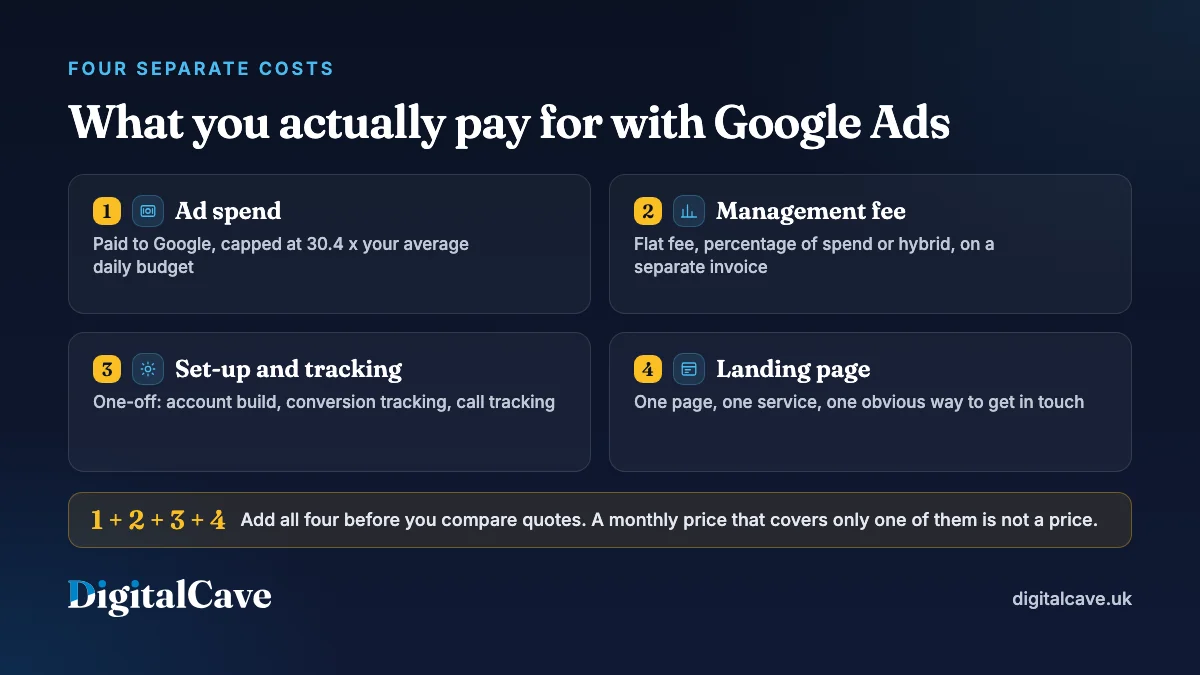
You pay for four separate things: ad spend to Google, a management fee to an agency or freelancer, one-off set-up and conversion tracking, and the landing page the clicks arrive on. Most arguments about Google Ads cost happen because two people mean different ones of the four.
| Cost | Who you pay | How it behaves |
|---|---|---|
| Ad spend | Variable, capped by your average daily budget | |
| Management fee | Your agency or freelancer | Monthly, fixed or linked to spend |
| Set-up and tracking | Agency, freelancer or developer | One-off: account build and conversion tracking |
| Landing page | Your web developer | One-off: a page built to take the enquiry |
A quote of “£500 a month” means nothing until you know which of these four it covers. Ask in writing, line by line. Our guide to choosing a Google Ads agency sets out what a good answer sounds like.
How much does Google Ads cost in the UK?
Google charges per click: your cost per click is what you pay each time someone clicks your ad, and an auction sets that price every time someone searches. There is no price list and no minimum spend: Google’s own guidance on budgets states that “the amount of your budget is entirely up to you and you can edit this amount whenever you like”.
Published UK average cost-per-click figures are of little use to one small business: a click on “emergency electrician Birmingham” and a click on “garden pots” are not comparable, so averaging them tells you nothing.
You also rarely pay your maximum bid. Google Ads Help explains that even where a competitor bids higher than you, you can still win a higher position at a lower price with high-quality ads and landing pages.
Ad Rank, the score Google uses to decide whether your ad shows and where, weighs your bid alongside ad and website quality, how competitive the auction is and the context of the search.
The useful question is what Google Ads can cost you and still make money. In the worked example below, one Birmingham bathroom fitter’s own figures justify £765 a month at a £4.50 cost per click: that business’s numbers, not a UK benchmark. You can produce yours this afternoon.
How do you work out your own Google Ads budget?
Work backwards from a won job, not forwards from a guessed budget. Copy these eight lines into a spreadsheet, fill in the ones marked “your figure”, and the rest calculates itself.
- Average job value. Your figure, from your last twenty invoices. The first job only, not lifetime value.
- Gross profit per job. Your figure, after materials, subcontractors and labour.
- Share you will spend to win a job. Your figure, and a decision only you can make. Many owners land between a tenth and a quarter of that profit.
- Maximum cost per won job. Line 2 multiplied by line 3.
- Quotes needed per won job. Your figure. Win one in three and this is 3.
- Maximum cost per enquiry. Line 4 divided by line 5.
- Clicks per enquiry. 100 divided by your enquiry rate from ad clicks. If you do not know it, set up conversion tracking first: the Google Ads setup that records when a click becomes a form fill or a call.
- Maximum cost per click. Line 6 divided by line 7. If Keyword Planner’s bid estimates sit above it, the campaign cannot pay. Change the terms, not the maths.
Then size the month: enquiries wanted, multiplied by line 7, multiplied by your real cost per click, gives monthly ad spend. Divide by 30.4 for the average daily budget. Revisit line 7 after a month of live data: version one is a plan, version two a budget.
How do you get a cost-per-click estimate for your own town?
Use Keyword Planner, free inside a Google Ads account. Enter your services, set the location to a radius around your postcode and read the two bid columns.
Google’s definition of the top of page bid columns describes “top of page bid (low range)” as “an approximation of the 20th percentile” that advertisers have historically paid for that keyword, and the high range as “an approximation of the 80th percentile”, both for the location you chose.
These are not predictions. They are a historic spread that tells you, in minutes, whether yours is a £2 market or a £20 market. Budget towards the high range at first.
A worked example: a Birmingham bathroom fitter
Every figure below is an illustrative assumption, not client data and not a benchmark.
| Step | Illustrative figure | Where your figure comes from |
|---|---|---|
| Average job value | £4,200 | Your last 20 invoices |
| Gross profit per job (35%) | £1,470 | Job costing |
| Share spent to win a job (20%) | £294 | Your call |
| Quote-to-job rate (1 in 3) | Max £98 per enquiry | Your quote log |
| Enquiry rate from ad clicks (6%) | About 17 clicks per enquiry | Conversion tracking |
| Maximum you can pay per click | £5.76 | £98 divided by 17 |
| Keyword Planner high range | £4.50 | Your own Planner screen |
At £4.50 against a £5.76 ceiling, this is viable with headroom. Ten enquiries a month at about 17 clicks each needs roughly 170 clicks. At £4.50 a click that is about £765 of ad spend, or an average daily budget of £25.16 once you divide by 30.4.
Three of those ten become jobs, around £4,410 of gross profit, for £765 of spend plus a fee. If the enquiry rate is 2% rather than 6%, the same ten enquiries need 500 clicks and cost about £2,250, and the landing page, not the budget, is the problem.
How do daily budgets and monthly caps work?
You set an average daily budget per campaign, not a monthly one, and Google may go over it on a single day but not across the month. For most campaigns Google can spend up to two times your average daily budget on any one day, and no more than 30.4 times it in a month, 30.4 being the average days in a month (365 divided by 12).
Google’s page on average daily budgets puts it this way: “on some days you might not reach your average daily budget, and on others you might exceed it”.
A £25 daily budget can therefore cost £50 on a busy Tuesday, while the monthly charging limit stays at £760. To spend £1,000 a month, set £32.89 a day, not £33.33.
Billing is separate. On automatic payments, Google bills you 30 days after the last payment or when costs hit your billing threshold, whichever is first, so a busy month can produce two charges.
What extras appear on a UK Google Ads bill?
Two line items catch UK owners out: a 2% UK DST fee on ads served in the United Kingdom, and VAT at the 20% UK standard rate. Neither appears in your campaign settings, so the invoice is always higher than the spend figure on screen.
The 2% UK DST fee. Google’s jurisdiction-specific surcharges page states that as of 1 November 2020 a 2% UK DST fee is added for ads served in the United Kingdom. Still 2% when we checked on 30 October 2026. On £1,000 of spend that is £20 on top.
VAT. The standard UK VAT rate is 20%. How it appears depends on your registration status and the Google entity billing you, so check the invoice and ask your accountant. Budget on the bottom of the invoice, not the figure on screen.
How much does Google Ads management cost?
Management is a fee for time and judgement, charged on top of ad spend and invoiced separately. UK agencies price it three ways: a flat monthly fee, a percentage of ad spend, or a hybrid. DigitalCave charges a flat fee, so it does not move when your budget does.
| Model | How it works | Watch for |
|---|---|---|
| Flat monthly fee | A fixed amount, whatever you spend | What happens when you add a campaign |
| Percentage of ad spend | A share of monthly spend | The fee rises with spend, which is not the same as the work rising |
| Hybrid | A base fee plus a percentage above a threshold | Where the threshold sits, in writing |
Fee and ad spend belong on separate lines, and the ad account in your business name. Our buyer’s guide answers how much a Google Ads agency costs in the UK in its FAQ.
When is a Google Ads budget honestly too small?
There is no universal minimum, but there is a test: divide your planned monthly spend by your likely cost per click. If that buys fewer clicks than a handful of enquiries needs, you are buying noise, not data.
- Fewer than about 100 clicks a month (our rule of thumb, not a Google figure). At a 5% enquiry rate that is five enquiries, and one quiet week makes the month look like failure.
- Your maximum cost per click sits below Keyword Planner’s low range. Narrow to your highest-value service, tighten the location, or do not run.
- You cannot sustain it for three months. Google’s Help page on Target CPA bidding recommends measuring over the last 30 days with at least 30 conversions, so stopping after three weeks tells you nothing.
If the numbers do not work, that is a result, not a failure. SEO at UK prices and a well-run Google Business Profile often take a local business further for the same money, more slowly. Registered charities should look at Google Ad Grants first, and our Google Ads and Meta ads comparison covers which suits which demand.
Who should not run Google Ads yet?
Do not run Google Ads yet if you have no conversion tracking, no dedicated landing page, nobody free to answer enquiries the same day, or no reviews. Spending starts the moment the campaign switches on.
- No conversion tracking. You cannot tell which keyword produced the enquiry, and Google requires it for Target CPA bidding.
- No dedicated landing page. Sending “boiler repair Solihull” traffic to a homepage wastes the click.
- Nobody to answer. Paid clicks arrive at 11am and at 8pm. If nobody replies the same day, the budget leaks away.
- No reviews. Someone comparing three ads picks the one with proof.
Where DigitalCave fits
DigitalCave is a digital marketing agency in Birmingham, at 47 Jewel Court, 29 Legge Lane, Jewellery Quarter, B1 3LE. We run PPC management for Birmingham and West Midlands businesses on a flat monthly fee from £600 a month plus your ad spend, never a percentage of spend, so the fee does not rise because your budget does.
Conversion tracking goes in before any spend goes live. Quotes are fixed price, the PPC term is three months then monthly, and we reply within two working hours.
One honest caveat on the example. A worked-out £765 a month is a real answer, but it sits below the £2,000 of monthly ad spend most of our PPC clients run, because below that there is rarely enough weekly signal to optimise on. If your maths lands there, run it yourself for a few months first.
When it clears that bar, request a quote, or read our Google Ads and paid search pages and our case studies.
Frequently asked questions
Is there a minimum spend for Google Ads in the UK?
No. Google sets no minimum spend, and Google Ads Help states the amount of your budget is entirely up to you and can be edited whenever you like. The practical minimum is where you get enough clicks to learn something, which depends on your cost per click.
How much does Google Ads cost per click in the UK?
There is no single answer, and published national averages mix wildly different markets together. Get your own estimate free in Keyword Planner: enter your services, set the location to your area and read the top of page bid ranges, which Google defines as approximations of the 20th and 80th percentiles of what advertisers have paid.
How much should a small business spend on Google Ads per month?
Enough to buy the clicks your own maths says you need. Work out your maximum cost per enquiry from job value and close rate, turn that into a maximum cost per click, then multiply by the clicks you need.
Can Google charge me more than my daily budget?
On a single day, yes. Google Ads Help says your daily spending limit is two times your average daily budget for most campaigns, so a busy day can cost double. Across the month you will not be charged more than 30.4 times that budget.
Does the price I see in Google Ads include VAT and fees?
No. A 2% UK DST fee is added for ads served in the United Kingdom, and the UK standard VAT rate is 20%, though how VAT appears depends on your registration status and the billing entity. Check your invoice, not the interface.
Is Google Ads worth it for a small business?
It is worth it when people already search for what you sell, your maximum cost per click clears the auction price, and you answer enquiries quickly. It is not when there is no search demand, margin per job is thin, or the landing page and tracking are not ready.
In one line
Google Ads costs whatever your own job value, close rate and enquiry rate say it can cost, so work the budget backwards from a won job rather than copying a national average.