
Google Business Profile for Multiple Locations: A UK Guide
 27 Nov 2026
10 min read
The short answer: A business with several locations should have one Google Business Profile for each real, staffed location, each with its own address, hours, phone number and local page on your website. Service-area businesses use one profile with a defined service area, not a profile per town. Google does not allow more than one profile per location, or profiles for virtual offices.
Table of Contents
Key takeaways
- One real location means one profile. Google’s guidelines prohibit more than one page for each location, in a single account or across several.
- Virtual offices and unstaffed mailing addresses are not eligible, so you cannot create a profile in every town you want to rank in.
- If you travel to customers, use one profile with a service area of up to 20 areas, not a set of fake branches.
- Each profile needs consistent details and its own location page on your website that adds something local, not a copy with the town name swapped.
- Google ranks local results on relevance, distance and prominence, and reviews feed prominence, so each location needs its own steady flow of genuine reviews.
How many Google Business Profiles can a business have?
A business can have as many profiles as it has real locations, but only one for each. Google’s guidelines for representing your business on Google say not to create more than one page for each location, either in a single account or in several. Individual practitioners and departments, such as the doctors in a clinic or a department in a hospital, may have separate pages.
The same guidelines state that a location should be a real one. Profiles need a precise, accurate address, a P.O. box or a mailbox at a remote location is not acceptable, and a business that rents a mailing address without operating from it, a virtual office, is not eligible. A co-working office qualifies only when it has clear signage, receives customers during business hours and is staffed by your own people during those hours.
That rules out the oldest local SEO shortcut: renting addresses in surrounding towns and creating a profile for each. It breaks Google’s rules and risks suspension of the profiles, as we explain in our guide to a suspended Google Business Profile.
Which setup fits your business?
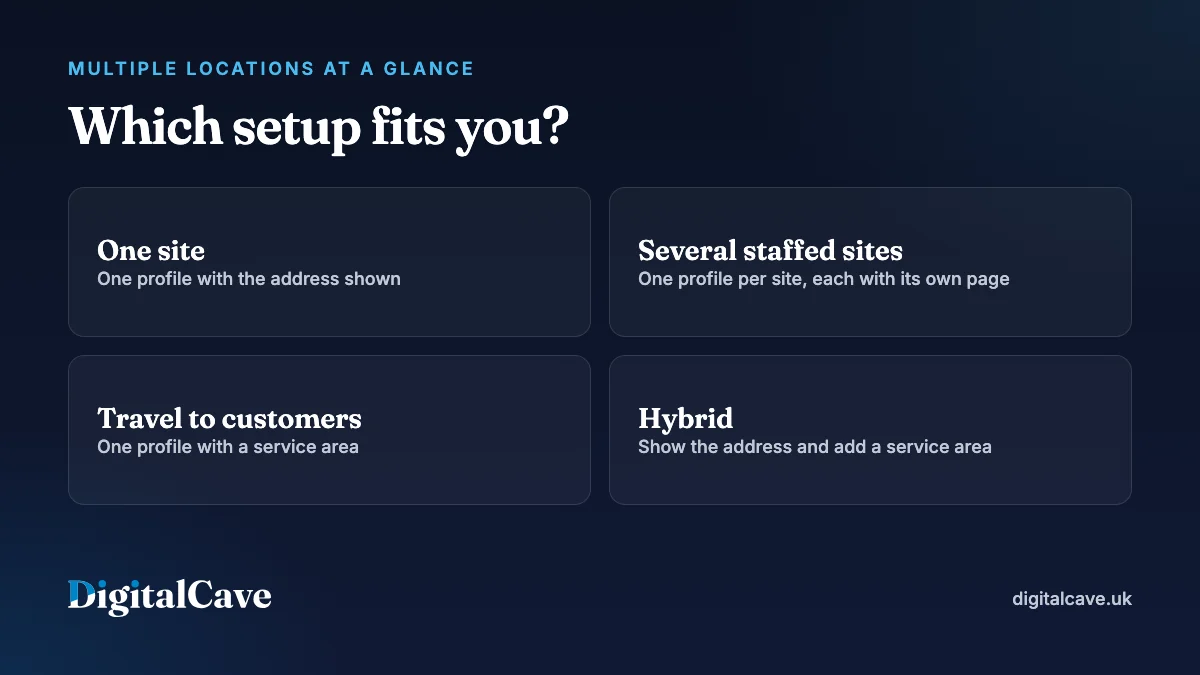
| Business type | Profile setup | Example |
|---|---|---|
| Single shop or office | One profile with the address shown | An accountant with one office |
| Several staffed sites | One profile per site, each with its own address, hours and page | A dental group with branches in different towns |
| Travels to customers | One profile for the base, with a service area and the address hidden if customers never visit | A plumber or mobile cleaner |
| Hybrid | Show the address and add a service area | A restaurant that also delivers |
| Individual professionals | Separate pages allowed for practitioners within the business | Solicitors or doctors in one firm |
What is the difference between a branch and a service area?
A branch is a place where your staff work and customers can be served. A service area is where you travel to serve customers. Google’s guidance says service-area businesses should have one profile for the central office or location with a designated service area, and that they cannot list a virtual office unless it is staffed during business hours.
Google’s help page on managing your service areas sets the practical limits: you can set up to 20 service areas, by city, postcode or another type of area, and the boundaries of the overall area should not be more than about two hours of driving time from where the business is based. If you do not serve customers at your business address, remove the address and keep only the service area. If you do, enter both.
For a trades business covering Birmingham, Solihull and Sutton Coldfield, that means one profile with those areas listed. It does not mean three profiles. The extra pages that help are on your website, not on Google.
How do you set up several locations without creating a mess?
Work through this order before you create anything:
- List every real location. Write down the legal business name, address, phone number, opening hours and manager for each one. This becomes your master sheet.
- Check eligibility. Each address must be staffed during opening hours and be a place customers can use, or a genuine base for a service-area business.
- Search for existing profiles. Duplicates are common: a previous tenant, a former employee or an old listing. Claim or request removal of duplicates before creating new ones.
- Use the same business name everywhere. The name should match how you present yourself in the real world, with no extra keywords.
- Choose a primary category for each profile. Pick the category that best describes what the business is, rather than a list of its services.
- Set local hours, including holidays, for each site instead of copying one set across all of them.
- Link each profile to its own location page, not to the home page.
What should go in the business name?
The business name on a profile should reflect your real-world name. Google’s guidelines say that including unnecessary information in the business name is not permitted and could lead to suspension. Marketing taglines and store codes are listed among the things that should not appear. So “Smith Dental” at each branch is fine, and “Smith Dental Best Dentist Solihull Cheap” is not.
Do you need verification for each location?
Every profile has to be verified so that you gain ownership and can edit its details. Google’s page on verifying your business lists methods such as phone, text, email and video, and it recommends video verification where your business is eligible. Plan for this: it is the step that most often delays a multi-location launch, because someone at each site has to be available.
Chains with many sites can use bulk verification. Google’s help on verifying Business Profiles in bulk says you can do this if you have 10 or more locations of the same business, and that service-area businesses and agencies with more than one business in one account cannot. Most small groups will have fewer than 10 sites, so expect to verify each one individually.
What should each location’s profile and web page contain?
Each profile should be complete and specific to its site. Add the correct primary category, opening hours, a local phone number that is answered at that site, services, photos of that site, and the URL of its own location page. Add posts and photos for each location, not only for head office.
Each location page on your website should carry details that only that site can offer:
- The address, an embedded map, parking and public transport directions.
- Local opening hours and the team who work there.
- The services available at that site, because not every branch offers everything.
- Reviews or testimonials from customers of that site, where you have permission to use them.
- Local schema markup that matches the visible address and hours.
A page where only the town name changes from one location to the next is thin content, and it does not help customers or rankings. If you do not yet have real local detail for a location, write fewer words rather than padding. Our web design in Birmingham service can include building these location pages so that profile, page and schema stay in step.
How does Google rank multiple locations?
Google explains in its guide to improving your local ranking that local results are based mainly on relevance, distance and prominence. Relevance is how well a profile matches the search, and complete, detailed information helps. Distance is how far each business is from the searcher. Prominence is how well-known a business is, and Google says it is based on information such as how many websites link to your business and how many reviews you have.
For multi-location businesses this has three practical consequences:
- Distance means the branch nearest to the customer usually has the advantage, so each branch should be fully built rather than relying on head office.
- Prominence means each site needs its own reviews. A business with 200 reviews at one branch and none at the others will not show the others strongly.
- Relevance means each profile should describe what is really offered at that site.
Ask for reviews after real visits and in line with Google’s rules and UK law. Our guide on how to get more Google reviews sets out what is allowed.
What goes wrong most often with multiple locations?
- Duplicates. Two profiles for the same site split reviews and may lead to suspension.
- Inconsistent details. A different phone number on the website, the profile and a directory makes it harder for Google to trust the listing.
- Unstaffed addresses. A virtual office or a mailbox is not eligible, however convenient it looks.
- One shared phone number. Customers who ring the wrong site leave, so use a number each site answers.
- Everything pointing to the home page. Each profile should link to its own location page.
- Closing a site and leaving the profile live. Mark it as permanently closed so customers are not sent to an empty unit.
For a wider list of mistakes, see our guide to local SEO mistakes that cost small businesses, and for the full picture of local search, the complete local SEO guide for UK small businesses.
Where DigitalCave fits
DigitalCave is an all-in-one web design, SEO and digital marketing agency based in the West Midlands, serving Birmingham, Coventry and the UK. Our local SEO service in Birmingham covers Google Business Profile setup and cleanup, consistent listings, review processes and pages for the areas a business really serves. We keep every profile in the client’s own account, so you can see exactly what changes.
If you are weighing up how to organise locations, our SEO agency in Birmingham page explains how local, technical and content work fit together. For a sense of the local picture, our West Midlands small business website study shows how many local sites still have basic problems. When you are ready, ask for a free SEO analysis or request a quote, and we will tell you honestly whether you need several profiles, or just one with a good service area.
Frequently asked questions
Can I have more than one Google Business Profile for my business?
Yes, one for each real location. Google’s guidelines say not to create more than one page for each location, in one account or several. Individual practitioners and departments may have their own pages. Virtual offices, mailboxes and unstaffed addresses are not eligible for a profile.
Can I create a Google Business Profile in a town where I have no office?
Not as a branch. If you serve customers there, list the town as a service area on your existing profile instead. You can set up to 20 service areas, and the whole area should not stretch much beyond about two hours of driving time from your base.
What if I have two offices and also travel to customers?
Create one profile for each staffed office and show its address. Google treats a business that serves customers at its address and also travels as a hybrid, so you can add a service area to the profile as well. Build a page on your website for each office with real local detail.
Do I need a separate website page for each location?
Yes, for each real location. Each page should hold that site’s address, map, hours, team and services, and the matching profile should link to it. A page that only swaps the town name does not help customers, so add genuine local content or keep the page shorter.
How do I verify lots of Business Profiles at once?
Google offers bulk verification if you have 10 or more locations of the same business. Service-area businesses and agencies managing more than one business in one account cannot use it, so smaller groups usually verify each profile individually, with video verification recommended where it is available.
In one line
Give every real, staffed location its own complete Google Business Profile and its own page, cover the areas you travel to with one service area, and never create profiles for places where you have no genuine presence.